How To Change Your Paysbook Password
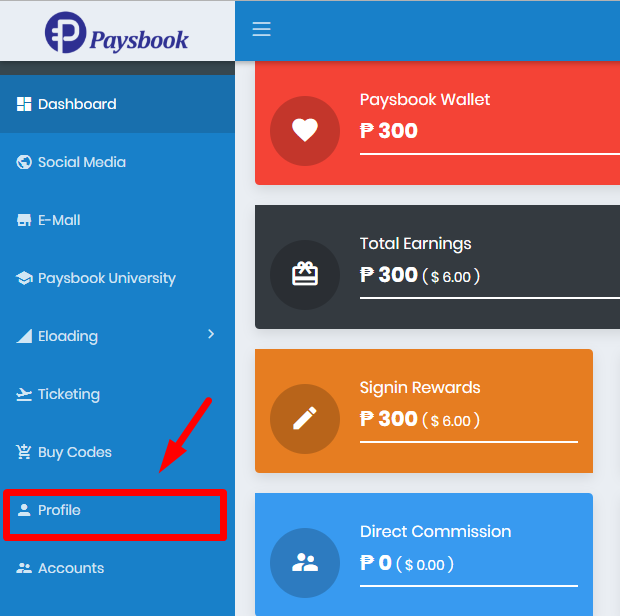
Always secure your Paysbook account by changing your PASSWORD right after you have activated your account especially if you have your UPLINE activated it for you. Its better safe than sorry, right? So here goes: 1. Login to Paysbook Dashboard here --> https://paysbook.co/auth/login 2. In your dashboard, navigate to the sidebar and click the Profile button. 👇Please be patient, sometimes you have to click it twice before the right page appear. Always the advertisement will appear first and opened in a new tab. Scroll to the center of the page and click PASSWORD. 👇 When you clicked PASSWORD, it will show like this 👇 A pop up message will show up upon your successful change of PASSWORD. To check, just logout and login back using your new password. GodBless!